
L o a d i n g
How It Works

Capture Location-Proof Photos
in Just a Few Steps

Open GPS Camera

Use GPS Camera by Bhucraft on Android (Early Access) or directly from your browser. No complex setup required.

Allow Location Access

Grant camera and GPS permissions once. The app automatically fetches accurate latitude, longitude, and address.

Capture Photo or Selfie

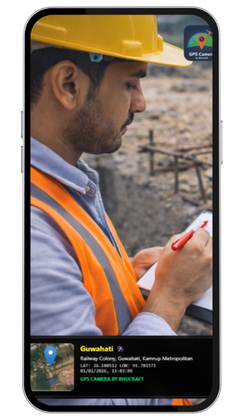
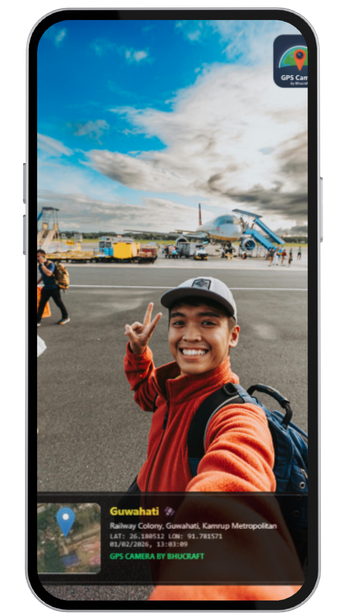
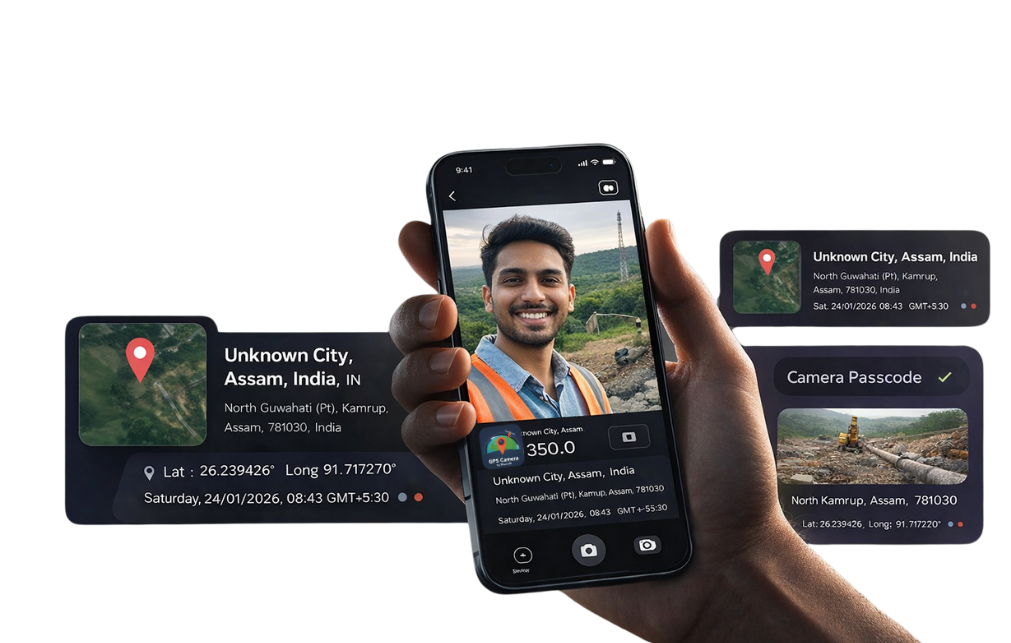
Take a photo or selfie. GPS Camera embeds real-time location, map preview, date, and time directly into the image.

Use as Proof Anywhere

Save, share, or submit the photo as verified location proof for surveys, field work, construction, or documentation.
App & Web Access

Use GPS Camera
On Android & Web

GPS Camera by Bhucraft is available on Android (Early Access via Google Play) and can also be used directly from your browser — no installation required.

Key Features

Built for Real-World
Location Proof & Field Work

Accurate GPS Tagging

Automatically embeds precise latitude, longitude, address, date, and time directly into every photo.

Address & Map Overlay

Each photo includes a readable address and map snapshot, making location verification clear and undeniable.

Tamper-Resistant Proof

Location details are captured at the moment of clicking, helping prevent fake or reused images.

Works on App & Web

Use on Android (Google Play – Early Access) or directly from your browser without installing anything.
Get Started

Start Capturing
Location-Proof Photos Today

GPS Camera by Bhucraft helps you capture photos with accurate GPS location, address, date, and time — trusted for field work, verification, and real-world proof.
GPS Camera by Bhucraft
FAQs

Questions About GPS Camera?
We’ve Got You Covered

  • 01. What is GPS Camera by Bhucraft used for?
    GPS Camera by Bhucraft is used to capture photos with accurate GPS location, address, date, and time embedded directly into the image. It is ideal for field work, construction proof, surveys, inspections, travel documentation, and verification purposes.

  • 02. Is the GPS and address data accurate?
    Yes. The app captures real-time GPS coordinates from your device and converts them into a readable address using map data. The information is captured at the moment the photo is taken, making it reliable for location proof.
  • 03. Can I use GPS Camera without installing the app?
    Yes. GPS Camera by Bhucraft can be used directly from a web browser on desktop or mobile devices. This is useful when you need quick access without installing the Android app.
  • 04. On which platforms is GPS Camera available?
    The mobile app is available on Android via Google Play (Early Access). There is no iOS version at the moment. However, users can also use the online camera through a web browser.
  • 05. Can the photos be edited or location data changed later?
    The GPS and address details are embedded at the time of capture. While image editing tools can modify images in general, GPS Camera is designed to provide trustworthy, on-site evidence when photos are captured and shared immediately.

You’re on the List!

Your email has been successfully listed for early access. We’ll send you the app link very soon.